
Creati:AI Image Video Maker
Mojio AI Photo GeneratorArt & Design
3.8988.00 Reviews
- Version
- 2.76.1
- Installs
- 10.00M
- Age Rating
- Everyone
Screenshots



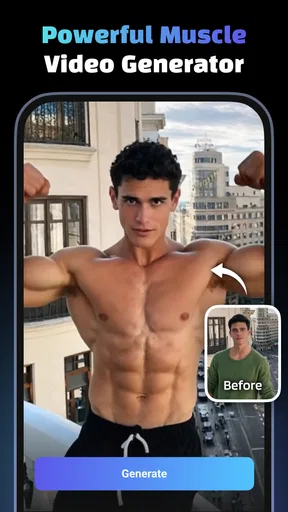
Our Review of Creati:AI Image Video Maker
 Analysis by Appyee
Have you ever wanted to create stunning images and videos but felt like you lacked the skills or tools to do so? Well, let me introduce you to Creati: AI Image Video Maker, a nifty app that’s got you covered. I’ve been playing around with it for a bit, and I’m excited to share my thoughts.
Getting Started with Creati
The first thing I noticed about Creati: AI Image Video Maker is its sleek and intuitive interface. You know that feeling when you open an app and everything just makes sense? That’s exactly what Creati offers. It’s like the developers knew exactly what you’d be looking for and made sure it was right at your fingertips.
Once you’ve got the app installed, setting it up is a breeze. You can sign in using your Google or Apple account, which is super convenient. No long forms to fill out—just a couple of taps, and you’re ready to dive in.
Features That Stand Out
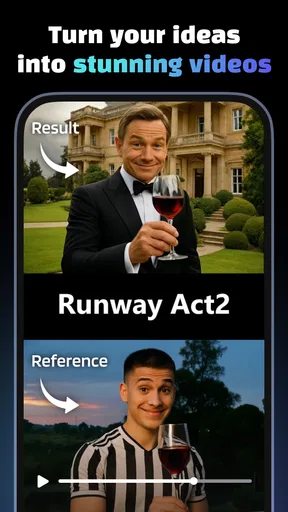
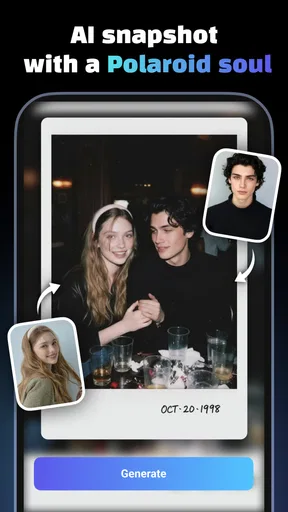
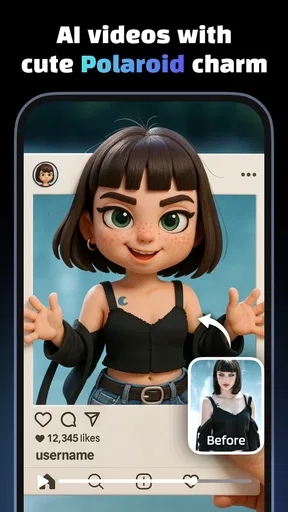
Let’s talk features, because Creati has quite a few. First off, the AI-powered tools are nothing short of impressive. Whether you’re editing photos or creating videos, the AI does a lot of the heavy lifting. Just upload your media, and the app suggests enhancements and edits that make your content pop.
The photo editing options are extensive. You can adjust lighting, apply filters, and even change backgrounds with a few simple taps. The AI identifies the subject of your photos and allows you to make precise edits without affecting the rest of the image. It’s like having a mini Photoshop in your pocket.
When it comes to video creation, Creati doesn’t disappoint. You can splice clips together, add transitions, and even include background music. The AI analyzes your clips and suggests the best ways to combine them for a professional look. It’s perfect for anyone looking to create everything from short social media posts to longer video projects.
Templates, timing, and a practical workflow
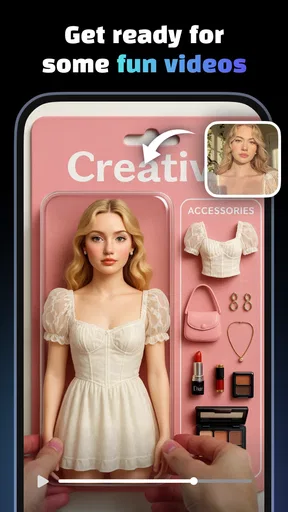
For a quick promotional post, I’d treat Creati as a starting point rather than a one-tap finished product. The app is described as a way to make product videos using more than a thousand ready-to-use templates, which suits people who need a visual direction before they have a full editing plan. I’d choose a template for its pacing and layout first, then adapt the images and wording so the result feels like my own rather than a copy of the example.
A useful workflow is to prepare a small set of clear product images before opening the editor. Pick one image that shows the whole item, another that highlights a detail, and, if available, one that shows it in use. That gives a short video a simple visual sequence—what it is, what makes it distinctive, and how it fits into everyday life. A template can help organize those moments, but it can’t make an unclear photo or vague message persuasive.
I’d also keep the first draft deliberately short. When a template offers room for several scenes, it’s tempting to fill every slot, but a crowded sequence can make a small product harder to understand. A few purposeful shots and readable text are usually more useful than adding effects simply because they are available. This is especially important on a phone screen, where small details and lengthy captions are easy to miss.
For a local seller, for example, a realistic task might be making a quick clip for a new handmade item after photographing it near a window. I’d select a layout that leaves the product visible, use the clearest photo first, and check that any text remains legible against the background. Before sharing, I’d watch the whole clip once with the sound on and once without relying on it. That final check helps catch a sequence that only makes sense when the music is playing.
User Experience
Now, I’ve used a fair share of editing apps, and one thing that always bugs me is how complicated they can be. Creati is refreshingly simple. The learning curve is pretty much non-existent. The tutorials are short and sweet, and there are helpful tooltips if you ever get stuck.
I also love the community aspect of Creati. You can share your creations within the app and get feedback from other users. It’s like a social media platform for creatives, which is pretty cool. Plus, seeing what others are making can inspire you to try out new things.
Where it fits among creative apps
In the crowded world of art and design apps, Creati’s clearest appeal is the combination of AI-assisted editing and template-led video making. Compared with a general photo editor, it points more directly toward turning visual material into a shareable piece of content. Compared with a full desktop editing suite, it favors a simpler mobile workflow over fine-grained control of every layer, cut, or effect.
That trade-off matters. If I wanted to polish a single photograph carefully, especially with detailed manual adjustments, I’d choose an editor built around precise image control. If I needed a complex video with exact timing and a carefully arranged soundtrack, I’d prefer a dedicated timeline editor. Creati makes more sense when I want help getting from an idea or a few pictures to a presentable social post without building the whole project from scratch.
The app is likely to suit a small business owner, a casual creator, or someone who posts occasionally and values speed over a deeply customized production process. It is less compelling for a designer whose work depends on exact color management or for a video editor who needs predictable, frame-by-frame control. I’d also skip it if I only want a basic camera roll organizer; its creative tools are the point, so the extra editing environment may be unnecessary for that job.
Network-dependent moments
Connectivity shapes the experience most when moving from an idea to usable material. Signing in and bringing media into an AI-assisted workflow can involve online steps, so I’d start a project while connected rather than assume every part of the process will be available in a place with weak reception. The template-led approach is most useful when I can browse, compare, and decide without rushing through a patchy connection.
That makes a little preparation worthwhile. If I know I’ll be making a post while travelling or between appointments, I’d choose the photos and decide on the main message beforehand. A reliable connection is particularly helpful when I’m exploring templates or sharing a finished creation. I would avoid leaving the first attempt until the last minute if the post has a deadline.
Performance and Reliability
Performance-wise, Creati is solid. I tested it on both Android and iOS, and it runs smoothly on both platforms. There were no crashes or lags, which is a huge plus. It’s also not a battery drainer, so you won’t have to worry about your phone dying in the middle of a project.
One thing I did appreciate is the offline mode. You can download your projects and work on them without an internet connection—perfect for those times when you’re on the go and don’t have Wi-Fi access.
When a creation takes longer than expected or an online step does not respond, I’d avoid repeating the same action over and over. First, I’d check whether the connection has returned, then reopen the relevant project and see what has been retained before trying again. For important work, keeping the source photos and clips available on the phone is a sensible precaution; it means I can rebuild a draft if an interrupted session leaves me uncertain about its state.
I’d also separate editing from publishing when timing matters. Make the creative choices when the connection is steady, review the finished result, and share it once the network is behaving reliably. That approach reduces the chance of spending a rushed few minutes troubleshooting when I should be checking the actual content. It is a practical habit for any mobile creator, but particularly helpful when a workflow includes AI tools or online sharing.
Using it thoughtfully on mobile
On a phone, the main advantage is being able to make a small visual asset in the same place where I take and review photos. That is handy for a quick announcement, a product highlight, or a short post made during a break. The same compact screen can also make detailed edits fiddly, so I’d use it for rapid composition and simple refinements rather than expect the precision of a larger editing setup.
For a data-conscious session, I’d begin with the source material already selected instead of browsing through a large camera roll while working. I’d also preview the video before sharing, because unnecessary revisions can cost time and may involve repeating online processing or uploads. Creati is free to download, but it includes in-app purchases priced from $4.99 to $99.99 per item, so I’d check what a paid option actually unlocks before committing. The range makes it especially sensible to decide whether the free workflow already covers my needs.
The app is developed by Mojio AI Photo Generator. It has a 3.8 average from around 76,000 ratings, and more than 10 million installs, which suggests that plenty of people have tried it while leaving room for mixed experiences. It is rated for Everyone, and its current version is 2.76.1, with Android 7.0 as the minimum operating system. I’d treat those details as useful context, not a promise that every device or project will behave identically.
Final Thoughts
So, is Creati: AI Image Video Maker worth your time? Absolutely. Whether you’re a beginner looking to dip your toes into the world of digital content creation or a seasoned pro wanting something quick and efficient, Creati has something to offer. Its combination of AI tools, user-friendly design, and community features make it a standout choice in a crowded market.
In short, if you’re looking to create beautiful images and videos without the fuss, give Creati a try. It’s like having a creative assistant right in your pocket, ready to help you turn your ideas into reality.
My connectivity verdict
I’d recommend Creati to someone who wants a convenient way to shape photos and short promotional videos, especially when templates can help overcome the blank-page problem. I’d be more cautious if my work depends on a guaranteed connection, exact editing control, or a predictable cost for every advanced tool. The free starting point lowers the barrier to trying it, but the in-app purchase range means I’d explore the available workflow before deciding whether paid options are worthwhile.
For everyday use, the best results are likely to come from a simple routine: prepare a few strong images, choose a layout that supports the message, keep the edit focused, and leave time to review and share while connected. If that matches what I need, Creati is a practical mobile creative tool. If I need deep manual control or a carefully engineered video, I’d reach for a more specialized editor instead.
Verdict
Strengths of Creati:AI Image Video Maker
- User-friendly interface for quick navigation.
- Wide range of templates to choose from.
- High-quality video output options.
- Fast rendering times for videos.
- Regular updates with new features.
Limitations of Creati:AI Image Video Maker
- Limited free features in the basic version.
- Occasional bugs during editing.
- Requires stable internet for cloud features.
- In-app ads can be intrusive.
- Subscription model can be costly.
Similar Picks in This Category
View All
Canva: AI Photo & Video Editor
Canva4.8

PENUP – Drawing-sharing SNS
Samsung Electronics Co., Ltd.4.5

Crafto
Kutumb App4.6

Sketchbook
Sketchbook4.1

ibis Paint X
ibis inc.4.5

Adobe Express: AI Photo, Video
Adobe4.6
Frequently Asked Questions
What is Creati: AI Image Video Maker?
Creati: AI Image Video Maker is an innovative application designed for creating and editing both images and videos using AI technology. It offers a wide range of tools for users to enhance their media projects with ease, making it a popular choice for both amateur and professional creators.
Does Creati: AI Image Video Maker support multiple file formats?
Yes, Creati: AI Image Video Maker supports a variety of file formats for both import and export. Users can work with popular image formats like JPEG and PNG, as well as video formats such as MP4 and AVI, ensuring compatibility with most devices and platforms.
Is the app user-friendly for beginners?
Absolutely. Creati: AI Image Video Maker is designed with an intuitive interface that caters to users of all skill levels. Beginners will find the guided tutorials and easy-to-use tools particularly helpful, while advanced users can explore more complex features at their own pace.
Are there in-app purchases or subscription fees?
Creati: AI Image Video Maker offers both free and premium versions. The free version includes basic features, while the premium version, available through a subscription, unlocks advanced tools and removes ads, providing a more streamlined and professional experience.
Can I share my creations directly from the app?
Yes, Creati: AI Image Video Maker includes built-in sharing options that allow users to upload their creations directly to social media platforms like Instagram, Facebook, and TikTok. This seamless integration makes it easy to showcase your work to a wider audience quickly.
